On May 9, 2025 at 12:03
Responded to @kasparsd:
Subscribe now to get the next video delivered straight to your inbox: https://wpshout.com/wordpress-development-course/
Responded to @kasparsd:
Subscribe now to get the next video delivered straight to your inbox: https://wpshout.com/wordpress-development-course/
Responded to @kasparsd:
In this short video I'll show you how modern browsers can supercharge your WordPress development workflow.
📺 Watch episode 1 now (runtime: 7 min) https://www.youtube.com/watch?v=VpOiThaaRAo
Responded to @kasparsd:
As part of the Modern WordPress Fast Track course launch, I’m sending out weekly tips and tricks to all subscribers of our FREE newsletter.
We’re kicking things off with a fun little journey through the quirky, chaotic, and clever history of web browsers — from the early days of WorldWideWeb (the actual name of the first web browser) to the performance-focused powerhouses we use today like Chrome and Firefox.
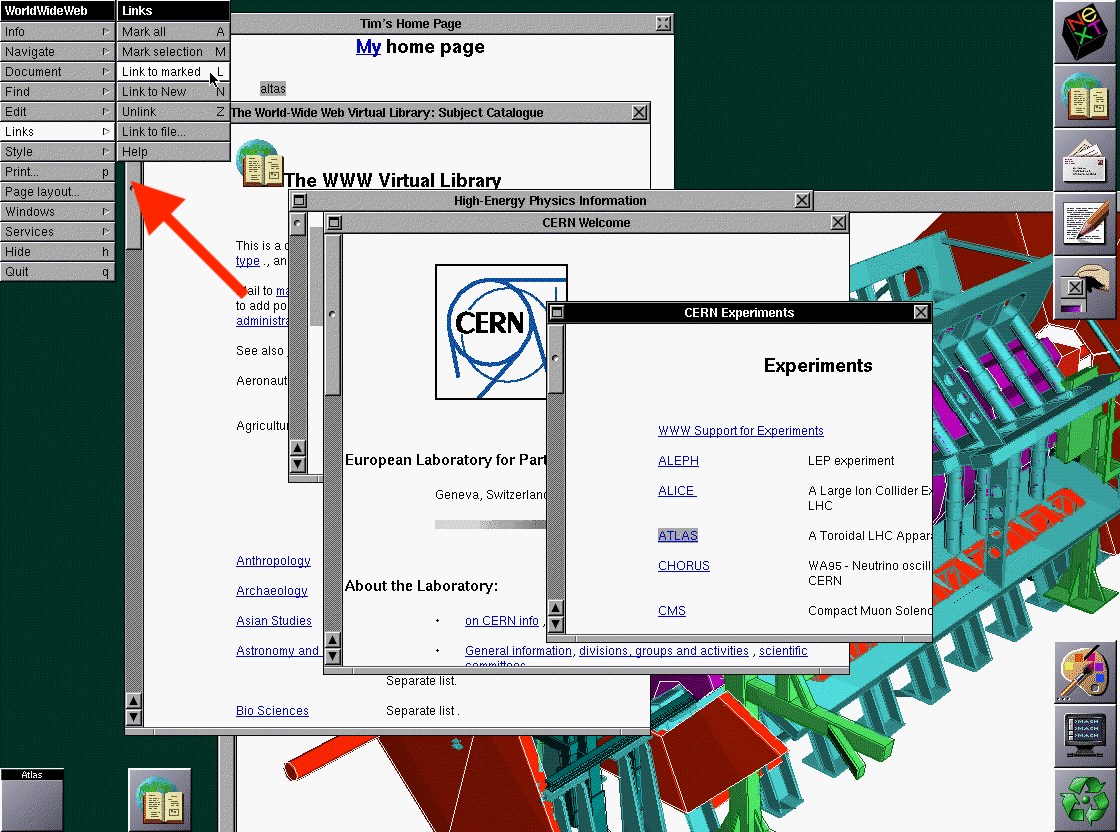
Did you know that web browsers used to include authoring tools for creating websites? A true WYSIWYG experience before even FrontPage and Dreamweaver existed.
Now we can’t even view source on mobile 😅
Luckily we still have very powerful developer tools bundled with the browsers — from inspector (remember Firebug?) to network monitoring and even performance analysis.
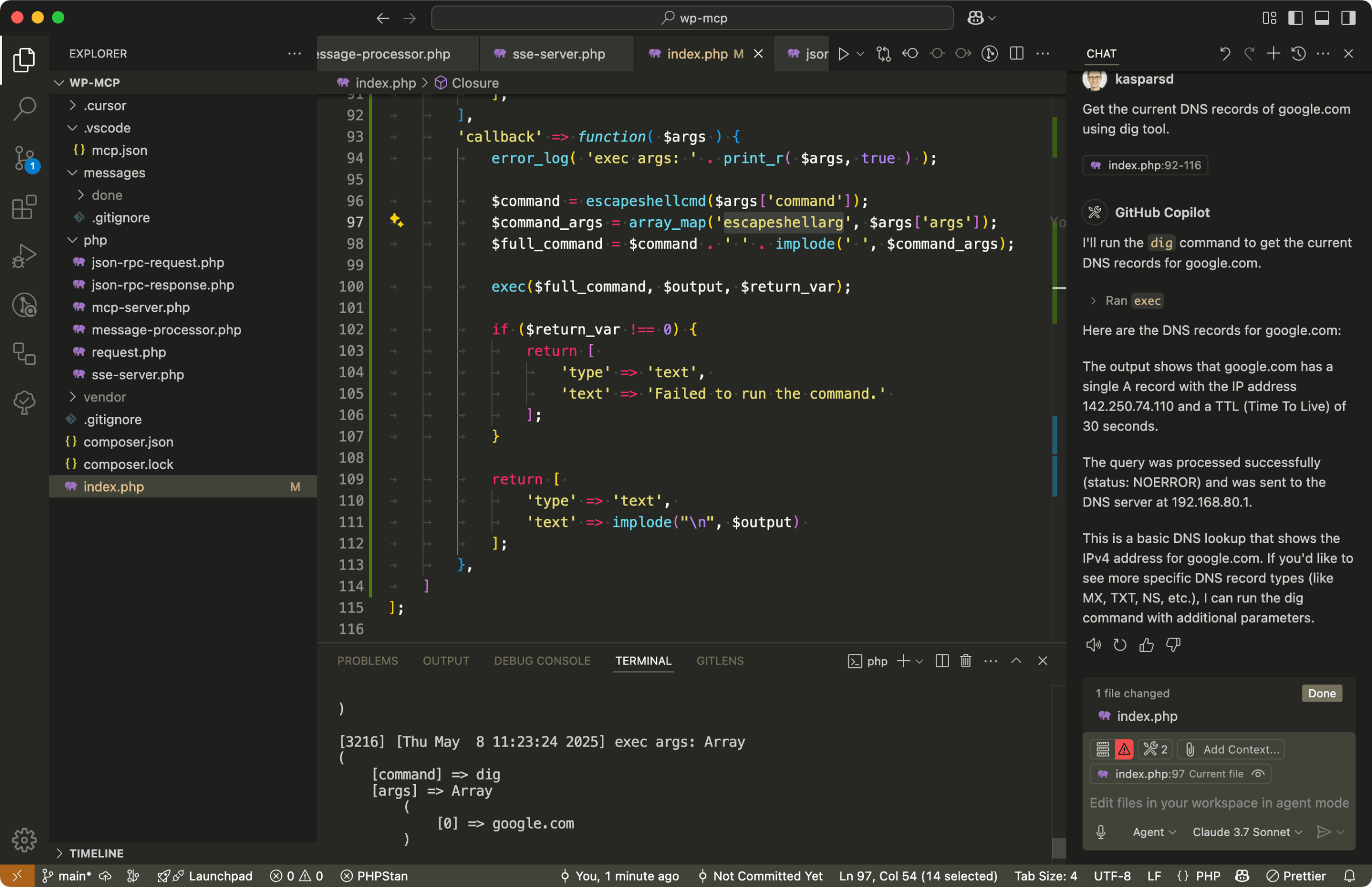
Should MCP servers have access to system shell? 🤔
Here is a bare-bones MCP server written in PHP being used in VS Code over SSE to get DNS records using dig.
Responded to @kasparsd:
Here is the relevant issue for adding this to the HTML spec https://github.com/whatwg/html/issues/6636 and a guide from Google on how to implement now https://web.dev/articles/lazy-loading-video
TIL: HTML video poster images in <video post="image.jpg"> are not lazy-loaded. You need to do the same data-poster swap trick 🪄
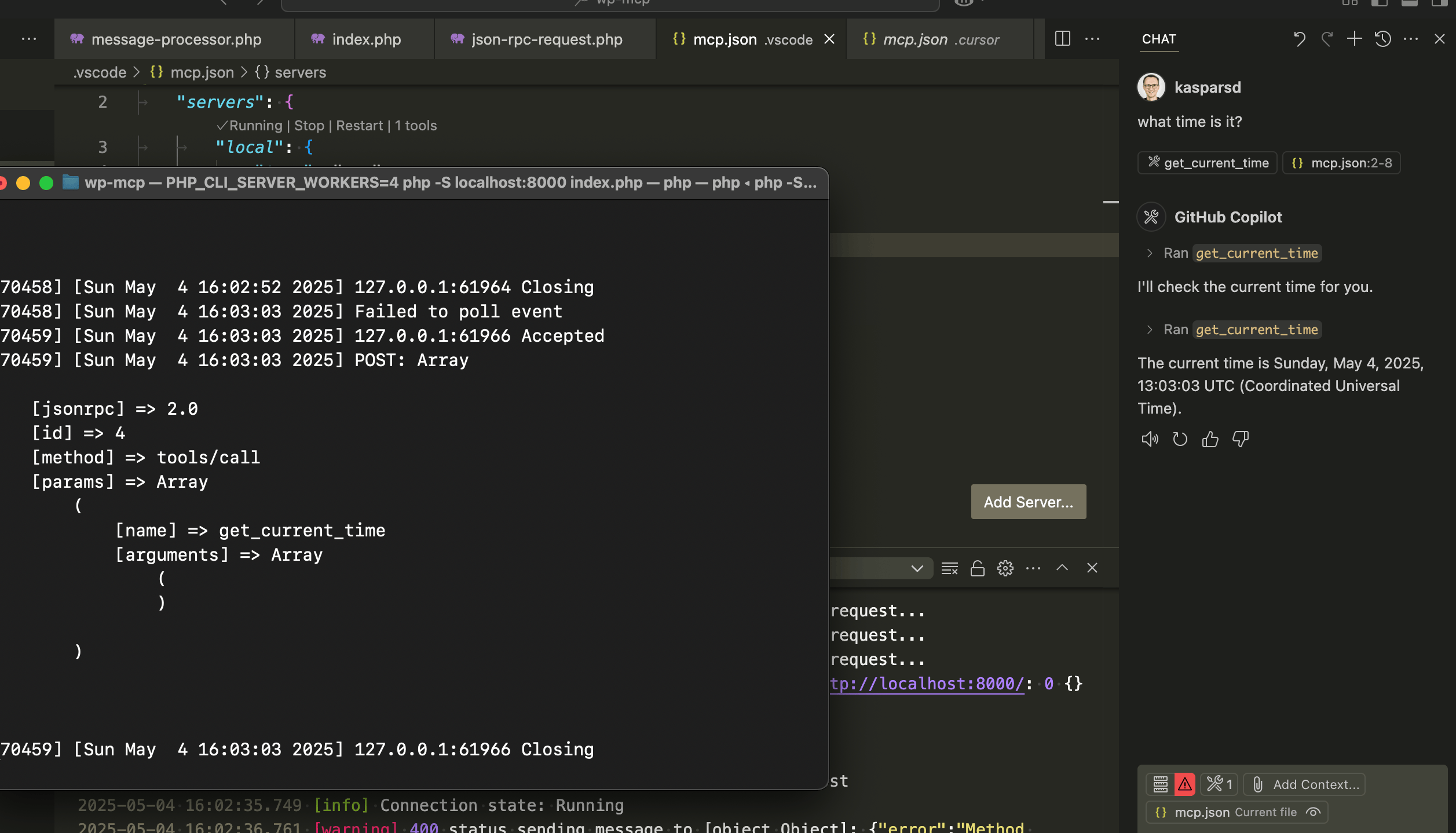
Here is PHP running an MCP server over SSE (not stdio) in roughly 70 lines of code 🏃♂️➡️ You don't need any of those JS libraries to use this.
There are so many undocumented features of how MCP clients actually utilize SSE. For example, the initial "endpoint" event to establish the POST request path for the actual messages.
Works great in both VSCode and Cursor!
Responded to @kasparsd:
Get it from manufacturer https://www.bee-link.com/products/beelink-mini-s12-pro-n100 or on AliExpress (affiliate) https://kaspars.net/go/beelink-mini-s12-pro-n100

These $200 mini PCs are perfect for weekend homelabbers:
🧠 Intel N100
💾 16GB RAM
⚡ 500GB SSD
They’ll run a full Docker stack — media center, Home Assistant, dashboards, and more with (almost) zero noise or power draw drama.
WordPress could become the CMS for MCPs 💡 with support for paid endpoints using existing ecommerce infrastructure 🤔
Responded to @kasparsd:
Learn more at: https://wpshout.com/wordpress-development-course/
We're launching 🚀 Modern WordPress Fast Track — a hands-on video course for devs who want to build real WP products using modern workflows.
Built in collaboration with WPShout, it’s the fastest way to go from tinkerer → confident builder in the era of AI tools and APIs!
Responded to @kasparsd:
Laravel and JS frameworks are way ahead by being developer focused and fully documented with established best practices for a broad set of web primitives.
WordPress needs to reconsider the current focus on the editor or risk becoming invisible to the next generation of builders.
While CMSs obsess over better WYSIWYGs, AI is skipping ahead by generating raw code directly.
Assembling WordPress blocks with AI feels like a dead-end. The real unlock? Better PHP/JS APIs + clear patterns so that AI can build real products on WP.
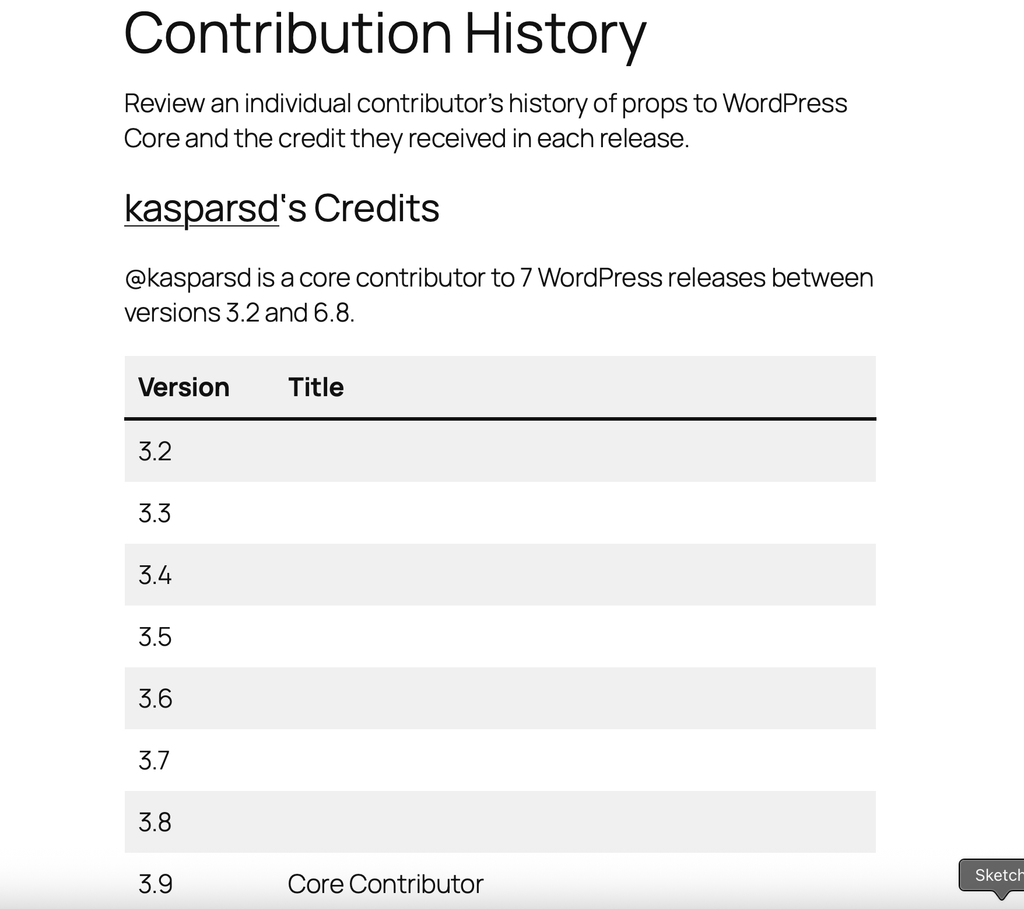
Here is a great tool by https://aus.social/@peterwilsoncc for finding the versions of WP core that you've contributed to https://peterwilson.cc/wordpress-contribution-history/?wp-credit-history-username=kasparsd
What's the earliest version you've contributed to?
Cursor is like the new hire — enthusiastic and way faster than everyone who has been around for a while (VS Code with Copilot).
I had the same project open in both and was checking who would fix an issue with ffmpeg integration in a Swift app first. Eventually, I fixed it manually (is that how we call coding by humans now?) with an answer from StackOverflow 🤷
Responded to @kasparsd:
Found it! https://xcancel.com/konstruktors
What's the service for linking to Tweets without the login prompt? I've seen it used around here but can't find it.
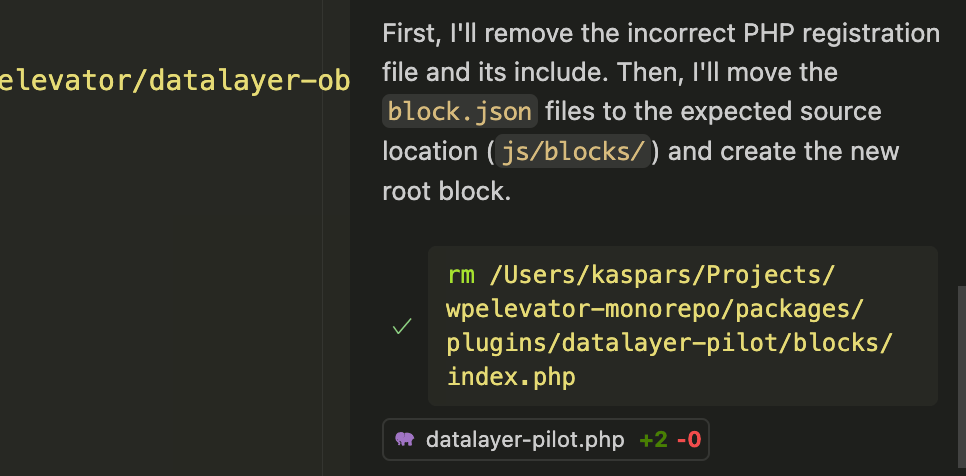
AI just run the first `rm …` command on my computer. And I trusted it to delete just the files it said it will delete.
What's the scariest thing that you've done with AI?