---
title: Self-hosted HTML5 Notepad App
date: 2011-05-26T17:13:00+00:00
modified: 2013-05-08T20:53:53+00:00
image:: https://kaspars.net/wp-content/uploads/2011/05/html5-notepad-2012-markdown-preview.png
permalink: https://kaspars.net/projects/html5-notepad
post_type: page
author:
name: Kaspars
avatar: https://reverse.kaspars.net/gravatar/avatar/92bfcd3a8c3a21a033a6484d32c25a40b113ec6891f674336081513d5c98ef76?s=96&d=mm&r=g
---
# Self-hosted HTML5 Notepad App
### The modern notepad for writers, bloggers and journalists. Supports offline access and instant synchronization with your own server.
For comments and suggestions, please visit [this blog post](https://kaspars.net/blog/hosted-html5-notepad-app-sync).
### Download
Fork it on GitHub: [github.com/kasparsd/HTML5-Notepad-with-Sync](https://github.com/kasparsd/HTML5-Notepad-with-Sync)
- [html5-notepad-2011.zip](https://kaspars.net/wp-content/uploads/2011/05/HTML5-Notepad-with-Sync-2012.zip) (version 0.2, February 12, 2012)
- [html5-notepad.zip](https://kaspars.net/wp-content/uploads/2011/05/html5-notepad.zip) (version 0.1, May 26, 2011)
- and a sample Chrome extension [sample-chrome-extension.zip](https://kaspars.net/wp-content/uploads/2011/05/html5-notepad-app-chrome.zip)
### Installation
1. Upload files to your server. Somewhere like `http://myname.com/notepad/`
2. Change the name of `entries` folder to something random
3. Make that folder writable by the PHP (`chmod 755` or `chmod 777`)
4. Edit `sync.php` and specify the new `DATA_DIR` (the one you just renamed)
5. Change also the username and password to something unique
### Screenshots
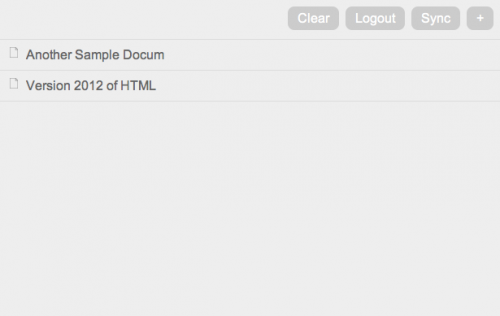
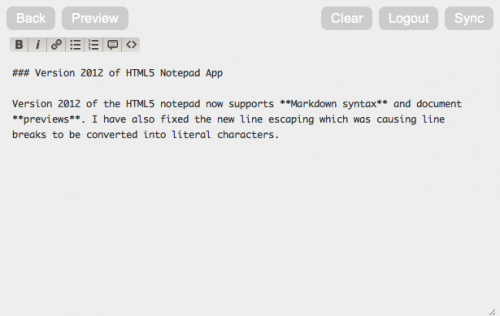
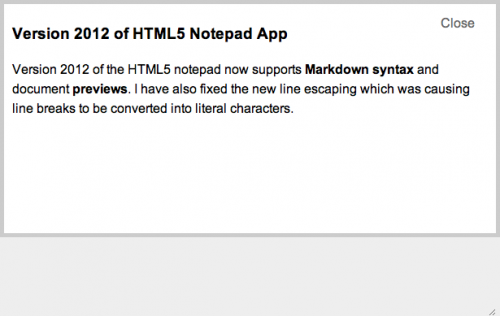
#### Version 0.2 (2012)
[](https://kaspars.net/wp-content/uploads/2011/05/html5-notepad-2012-index.png)
[](https://kaspars.net/wp-content/uploads/2011/05/html5-notepad-2012-editor-markdown.png)
[](https://kaspars.net/wp-content/uploads/2011/05/html5-notepad-2012-markdown-preview.png)
#### Version 0.1 (2011)
[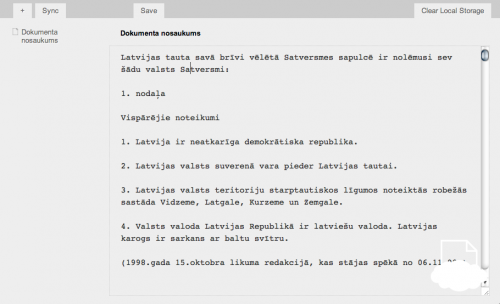](https://kaspars.net/wp-content/uploads/2011/05/hifive.png)
### How Does it Work
The app consists of the following:
- One HTML file with enabled offline access (cache manifest).
- jQuery for all the Javascript and AJAX magic.
- One PHP file with HTTP authentication for syncing with the server.
The files are stored in browser’s `localStorage` as key/value pairs with a unique timestamp ID as key and JSON formated content as value. An index of all files and their version timestamps is kept and used for synchronization during which all the content of `localStorage` is sent to `sync.php` in a POST request. The server reads its own index file and determines which new or edited entries need to be stored and which returned to the browser. All entries are stored on the server as JSON strings in simple text files.