---
title: Self-hosted HTML5 Notepad App With Synchronization
date: 2011-05-27T09:41:03+00:00
modified: 2013-05-26T18:55:13+00:00
permalink: https://kaspars.net/blog/hosted-html5-notepad-app-sync
post_type: post
author:
name: Kaspars
avatar: https://reverse.kaspars.net/gravatar/avatar/92bfcd3a8c3a21a033a6484d32c25a40b113ec6891f674336081513d5c98ef76?s=96&d=mm&r=g
category:
- Development
post_tag:
- PHP
---
# Self-hosted HTML5 Notepad App With Synchronization
**Update:** On February 12, 2012 I released an updated version of this app with new UI, support for Markdown syntax (incl. editor) and a few bug fixes. Please see the [project page](https://kaspars.net/projects/html5-notepad "Self-hosted HTML5 Notepad App") for more screenshots and downloads.
Ever since the days of Google Gears which enabled local storage and offline syncing for online applications such as Google Reader and Docs, I have always wished for **a very simple and instantly accesible notepad application that I could host on my server and use also without an internet connection**. A place where I could instantly write down an idea or paste a link or a quote from an article.
Google Docs and Evernote is great but they have way more features than I would normally use. WordPress is fine, but it takes several steps to get to the actual writing, and you must be connected to the internet to use it.
### The Solution
Now that we have HTML5 with support for `localStorage` and offline apps in all of the modern browsers, it seems to be the perfect solution. All that is needed is a little PHP script that **synchronizes** the content of `localStorage` with the server. Here is how it looks:
[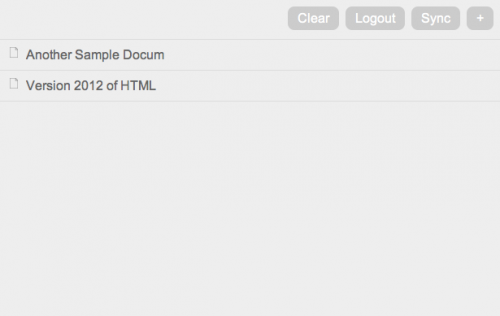](https://kaspars.net/wp-content/uploads/2011/05/html5-notepad-2012-index.png)HTML5 Notepad version 2012
[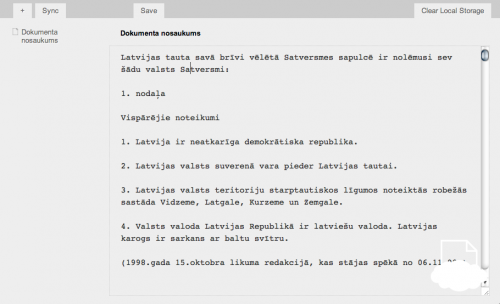](https://kaspars.net/wp-content/uploads/2011/05/hifive.png)Version 0.1 of HTML5 Notepad with Sync
You have your files on the left and a very big plain text editor on the right.
### How Does it Work
The app consists of the following:
- One HTML file with enabled offline access (cache manifest).
- jQuery for all the Javascript and AJAX magic.
- One PHP file with HTTP authentication for syncing with the server.
The files are stored in browser’s `localStorage` as key/value pairs with unique timestamp IDs as key and JSON formated content as value. An index of all files and their version timestamps is kept and used for synchronization during which all the content of `localStorage` is sent to `sync.php` in a POST request. The server reads its own index file and determines which new or edited entries need to be stored and which returned to the browser. All entries are stored on the server as JSON strings in simple text files.
### Demo, Download and Installation
Please visit the [project page of the HTML5 Notepad App](https://kaspars.net/projects/html5-notepad). There is also a sample Chrome app.